My Phone Number Was Stolen: Step-by-Step Guide to Getting It Back Safely


Introduction
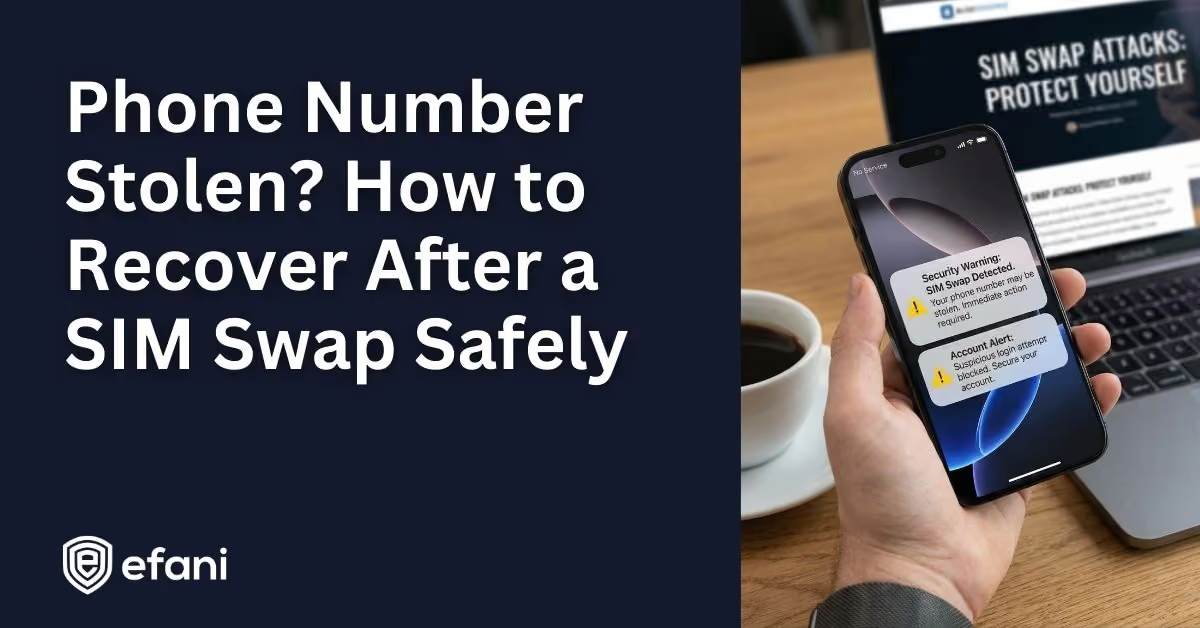
If you are reading this, chances are your phone suddenly lost service and your stomach dropped.
“No Service.” “SOS Only.” Texts not going through. Calls dead.
That is not a glitch. That is usually a SIM swap in progress.
This guide is written for that exact moment. It is calm, practical, and ordered the way things actually need to happen. You do not need to do everything perfectly. You just need to do the right things first.
Is your cellphone vulnerable to SIM Swap? Get a FREE scan now!
Please ensure your number is in the correct format.
Valid for US numbers only!
Confirm This Is Not A Normal Outage
Before you panic, do a quick sanity check.
If Wi-Fi still works but cellular does not, that is a red flag. If Bluetooth works but you cannot send texts, another red flag. If you get an email from your carrier about a SIM change or number transfer you did not request, that is confirmation.
If friends say your phone rings or goes to a strange voicemail, that seals it.
At this point, assume your number is compromised and move fast.
Contact Your Carrier’s Fraud Department Immediately
This is the most important step. Everything else waits until this is started.
Do not use normal support if you can avoid it. Ask for fraud or account takeover specifically.
Here is who to call if you are in the US:
Call from a different phone if needed. Borrow one. Use Wi-Fi calling if your carrier app still lets you.
Your goal in this call is simple. Get your number reattached to a SIM or eSIM you physically control.
You will not be able to verify via SMS. Expect ID questions, billing info checks, or in-store verification. Stay calm and persistent. Time matters here.
If the number was ported to another carrier, say that clearly. Port-outs take longer to reverse, but they are reversible.
Lock The Number The Moment You Get It Back
Once service is restored, do not celebrate yet.
Immediately enable your carrier’s strongest protection setting. This blocks another swap while you are cleaning up damage.
On most carriers this lives in the app under security or line settings. It may be called Number Lock, SIM Protection, Port Protection, or Account Takeover Protection.
If there is a delay before changes are allowed, leave it on. That delay exists to protect you.
This step prevents attackers from simply doing the same thing again tomorrow.
SIM Swap Protection
Get our SAFE plan for guaranteed SIM swap protection.
Secure Your Email First, Not Your Bank
This surprises people, but email is the real control panel.
- Attackers almost always reset email first, then use email to reset everything else.
- Log into your primary email account and do three things in this order:
- Change the password. Sign out of all other sessions and devices. Remove your phone number from account recovery if possible.
- If you use Gmail, go into security settings and review logged-in devices carefully. If anything looks unfamiliar, sign it out.
If the attacker already locked you out, start account recovery immediately. Email providers move slowly, but the earlier you start, the better.
Monthly
Yearly
Freeze Financial Damage Before It Spreads
Now move to money.
- Log into your banks and crypto exchanges and do the following:
- Change passwords. Review recent activity. Remove unknown devices. Check Zelle, wire, and saved payees. Disable SMS verification where possible.
- If you see transfers you did not authorize, call fraud support immediately and file a claim. Mention SIM swap specifically. Banks treat this differently than simple password theft.
- If you hold crypto, assume speed matters more than convenience. Secure wallets, revoke sessions, and rotate credentials.
Place A Credit Freeze, Not Just A Fraud Alert
A stolen phone number is often used to open new accounts in your name.
You want a credit freeze, not just a warning.
Freeze your credit with all three bureaus individually. This blocks new credit entirely until you lift it.
If you later file an identity theft report, you can extend protections further.
This step prevents long-term damage that shows up months later.
Lock Down Social And Messaging Accounts
Attackers often hijack social accounts to run scams or impersonate you.
For each platform:
Change passwords. Log out all sessions. Remove phone number recovery. Enable app-based or hardware authentication.
For WhatsApp specifically, re-register the app once your SIM is back and enable the in-app PIN. That PIN blocks re-registration even if someone gets your number again.
File Official Reports If The Damage Is Serious
If money was stolen or accounts were abused, paperwork helps you recover faster.
File an identity theft report with Federal Trade Commission. This creates a formal recovery record.
If your carrier failed to protect your number or delayed recovery, you can also file a complaint with the Federal Communications Commission. This often escalates cases internally at carriers.
These reports are not just symbolic. Banks and credit bureaus take them seriously.
Make Sure This Does Not Happen Again
Once the crisis is over, change how your identity is secured.
The biggest rule is simple.
Stop using SMS as a security method wherever you can.
Use authenticator apps, passkeys, or hardware security keys for important accounts. Secure your email harder than anything else. Treat your phone number like public information, not a secret key.
If you are high risk or just done trusting carriers, services like Efani exist specifically to remove human overrides and add cooling-off periods that stop instant SIM swaps cold.
If Your Phone Suddenly Loses Service Again
Treat it as an emergency every time.
Do not wait to see if it fixes itself. Do not assume it is a tower issue.
The faster you act, the less damage is possible.
A stolen phone number is access to your digital life. Getting it back safely is about speed, order, and removing the number from places it never should have been trusted in the first place.