
How to Know You’ve Been SIM Swapped (And What to Check First)


Introducion
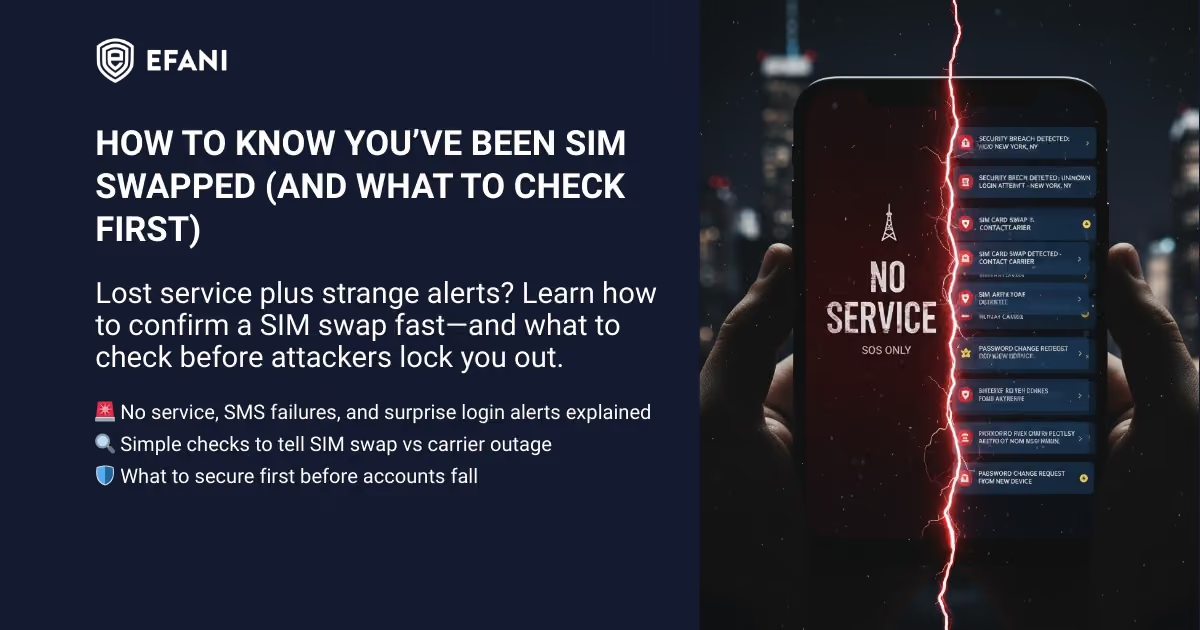
If your phone suddenly loses service and, at the same time, you start getting weird security alerts, treat it like an emergency. A SIM swap can move your phone number onto someone else’s SIM/eSIM, letting them intercept calls and texts (including SMS login codes) and start taking over accounts.
This guide helps you answer two urgent questions:
- Is this actually a SIM swap, or just a carrier outage / SIM failure?
- What are the first things I should check to confirm and limit damage?
If you’re actively locked out or seeing fraud right now: jump to your emergency response checklist: “Think It’s a SIM Swap? Do This in the First 60 Minutes.” (Even if you’re not 100% sure yet.)
Is your cellphone vulnerable to SIM Swap? Get a FREE scan now!
Please ensure your number is in the correct format.
Valid for US numbers only!
Quick Checklist: The Fastest Signs It’s a SIM Swap
A SIM swap becomes very likely if you have 2+ of these at once:
- Your phone shows “No Service” / “SOS Only” in a place you normally have coverage
- You can’t make calls or send/receive SMS (but Wi‑Fi still works)
- You get password reset codes or login alerts you didn’t request
- Your carrier account shows a new SIM / eSIM change or device change you didn’t authorize
- You receive carrier emails/texts like “SIM change completed” / “number transferred” that you didn’t initiate
If you’re thinking “this feels like me,” keep reading, and move quickly.
What a SIM Swap Is (In One Minute)
A SIM swap (aka SIM hijacking) is when an attacker convinces or tricks your mobile carrier into moving your phone number to a different SIM/eSIM under their control. Once your number is moved:
- Your phone loses service (because your SIM no longer “owns” the number)
- The attacker can receive calls and SMS meant for you
- Any account that uses SMS-based login codes becomes much easier to break into
Step 1: Rule Out the Common False Alarms (2–3 Minutes)
- Carrier outage or local network issue
- Physical SIM issue (dirty, loose, damaged)
- Billing / account suspension
If none of these explain it and you’re seeing login alerts or lockouts too, move to the confirmation checks.
SIM Swap Protection
Get our SAFE plan for guaranteed SIM swap protection.
Step 2: Run the “SIM Swap Confirmation Checks” (Do These in Order)
Check #1: Can You Call Out or Receive Calls?
- Try calling a friend (or your own voicemail)
- Have someone call you
If your phone can’t call out and people can’t reach you, that’s suspicious, especially if Wi‑Fi still works.
Check #2: Can You Send or Receive SMS?
If you can’t receive SMS codes, you might not be able to log in to certain accounts, so do the rest from Wi‑Fi and prioritize accounts that don’t rely on SMS.
SIM swap clue: SMS fails while Wi‑Fi apps (Signal/WhatsApp/email) may still work.
Check #3: Look for Carrier Alerts (Email + Text)
Search your email inbox for:
- “SIM change”
- “eSIM”
- “number transfer”
- “port”
High-confidence indicator: a message confirming a SIM/eSIM change that you did not request.
Check #4: Log Into Your Carrier Account (If You Still Can)
From a trusted device on Wi‑Fi, try to log into your carrier account and look for:
- SIM/eSIM change history
- New device/IMEI attached to your line
- Port-out transfer status (some carriers show this)
If your carrier login requires SMS 2FA and you can’t get texts, don’t get stuck here, move to Check #5 and begin response steps.
Check #5: Check Your Email Security Activity Immediately
If you still have email access, check:
- Recent sign-ins (new location/device)
- New forwarding rules
- Recovery email/phone changes
Check #6: Check Your Bank/Crypto Accounts for “New Device” or “New Payee”
Look for:
- New login alerts
- Withdrawal attempts
- Changes to phone number, email, or 2FA method
SIM swap + bank changes = treat as active account takeover.
If your phone lost service and you’re seeing account alerts or lockouts, assume SIM swap and respond immediately.
Monthly
Yearly
What to Do Immediately If It Looks Like a SIM Swap
1) Contact Your Carrier’s Fraud/Security Team (From Another Phone)
- Use a different phone line (friend, work phone, landline)
- Tell them: “I believe my number was SIM swapped / my SIM was changed without authorization.”
- Ask for immediate restoration plus a port-out freeze / number lock.
- Ask for a case number and have them email you the notes if they can.
2) Secure Your Email First (Because It Controls Everything)
From a trusted device:
- Change email password (unique, long)
- Sign out of all sessions
- Check and lock recovery options (recovery email/phone)
- Enable stronger 2FA (authenticator app or security key), not SMS
3) Secure Financial Accounts Second (Bank + Crypto)
- Change passwords
- Call the fraud department
- Review recent transactions immediately
4) Stop Using SMS for Security Going Forward
Move critical accounts to an authenticator app or a hardware security key. SMS is convenient, but it is exactly what a SIM swap is designed to break.
What Info to Collect (This Helps You Recover + File Claims)
Even if you’re panicking, take 2 minutes to document:
- The time your phone lost service
- Screenshots of “No Service”/SOS indicator and any alerts
- Carrier emails about SIM/eSIM changes
- Any transaction IDs and support case numbers
What to Do After You Regain Your Number (Prevention)
Once you’re back in control, don’t stop there, SIM swap victims are often targeted again.
Add layered defenses:
- Ask your carrier for the strongest protections available:
- Number lock / port-out freeze
- Account PIN/passcode (not your birthday)
- Switch critical accounts to:
- Authenticator app codes, or
- Hardware security keys
If you want that kind of port-out and number-lock protection built in from day one rather than requested after the fact, that's exactly what Efani's SIM swap protection is designed to provide.
If You’re Not Sure, Act Like It Is
You don’t need perfect certainty to start protecting yourself. If your phone lost service and you’re seeing account alerts or lockouts, assume SIM swap and respond immediately.
FAQs
Can A Carrier Outage Look Like A SIM Swap?
Yep, and it is annoyingly common. If you see “No Service,” first check whether other people on your carrier are also down, or if your account is suspended. The big tell is the combo: service loss plus surprise login alerts. If that happens, treat it like a SIM swap.
Can You Get SIM Swapped If You Use An eSIM?
Yes. A SIM swap scam is about moving your phone number to a SIM or eSIM the attacker controls. The form factor does not save you. What helps is tightening carrier controls, locking recovery paths, and switching away from SMS codes where possible.
Should You Call Your Carrier Or Secure Email First?
Do both, but if you have to pick: call your carrier immediately from another phone to restore the line, then lock down email right after. Email is the master key for resets. Once you stabilize, follow a prevention plan like how Efani blocks unauthorized SIM transfers.
What 2FA Should You Use Instead Of SMS?
If you can, use passkeys or a hardware security key. If not, use an authenticator app. SMS is the easiest to break during a SIM swap.
Will A Port Out Lock Stop SIM Swaps?
It can stop a very common path: porting your number to another carrier. It does not always prevent same-carrier SIM changes, so it is a strong layer, not magic armor.


%20in%20Outlook.avif)

