
Automating Port-Freezes and Number Locks for Enterprise SIM Swap Protection


Introduction
Your CFO’s phone drops to “No Service” at 9:11 a.m. She assumes a local outage. In the next minutes, password reset texts for treasury and a major crypto exchange start landing on a phone that is not hers.
Your help desk opens a ticket about a “SIM changed” alert on her managed device. By 9:27 a.m., attackers have enough to drain accounts and enroll their own 2FA.
The only thing that buys you time is a hard port-freeze and number lock that refused the port-out. The rest comes down to whether your SOC sees the event in time and can shut the attacker out in seconds.
Is your cellphone vulnerable to SIM Swap? Get a FREE scan now!
Please ensure your number is in the correct format.
Valid for US numbers only!
What Are Port-Freezes And Number Locks
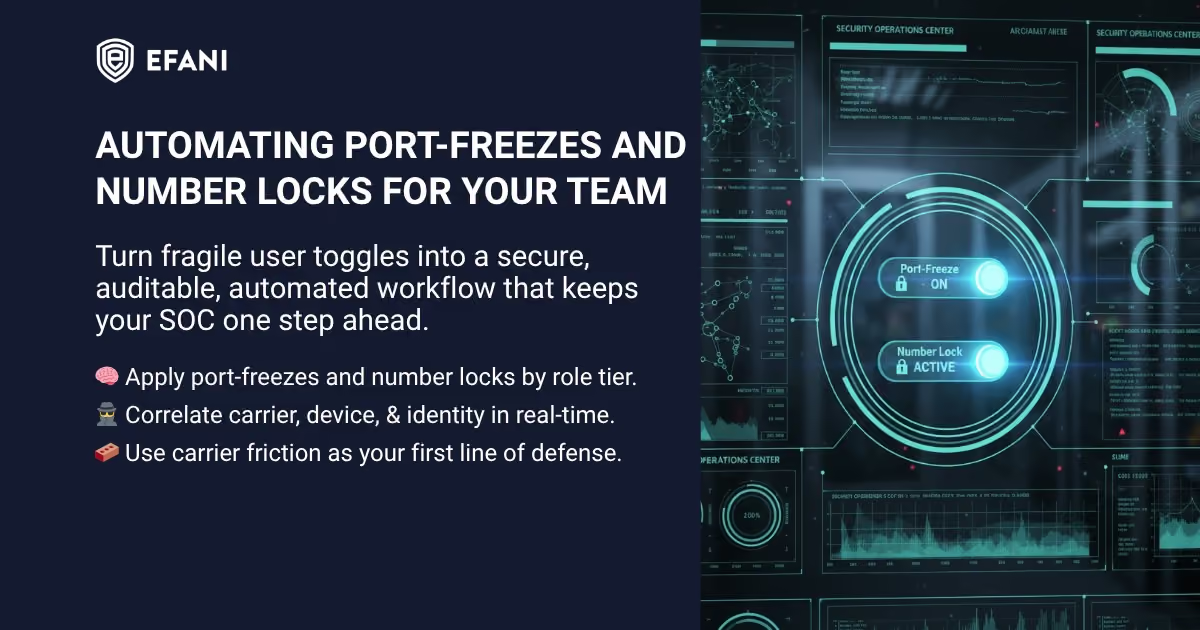
Port-freezes and number locks are carrier-level controls that stop attackers from moving a phone number where they want it.
- A port-freeze blocks the transfer of a number to another carrier unless a privileged admin lifts the freeze.
- A number lock stops on-network SIM or eSIM changes unless that lock is removed.
Think of them as brakes on two different roads. Port-freeze blocks the road to another carrier. Number lock blocks the road to a new SIM on the same carrier.
For enterprises, these controls only work when they are centrally enforced. Consumer toggles in mobile apps do not scale and they are easy to forget. Your goal is to turn both controls on by default for the employees who matter most, then prove they are on every day, not just the day you set them.
How To Automate Port-Freezes
Automation here means turning a manual setting into a reliable process that runs the same way every time. The steps below assume you manage lines with Verizon, AT&T, T-Mobile, or a secure MVNO like Efani.
1. Centralize Every Corporate Line Under A Business Account
Move scattered individual plans into a single business account per carrier. Assign least-privilege roles. Confirm that security admins have authority to set and audit port-freezes.
If you cannot see a line in your business portal, you cannot enforce a lock on it.
2. Define Role-Based Friction Levels
Create three tiers.
- Tier 1 covers executives, finance approvers, and identity admins.
- Tier 2 covers IT and finance staff.
- Tier 3 covers everyone else.
Tier 1 gets maximum friction. Tier 2 gets strict defaults. Tier 3 gets defaults plus fast detection and response. Document the policy and publish it so help desk and managers know what to expect.
3. Embed Port-Freezes In Provisioning
Add port-freeze activation to your device lifecycle checklist. New hire, role change, and device replacement must include a step that sets a port-freeze and records who enabled it and when.
Offboarding must verify the freeze remains in place until the number is recycled.
4. Use Bulk Actions And Change Windows
Most carrier portals support bulk edits. Queue changes for dozens of lines at once during a weekly change window. Capture confirmation numbers and attach them to your asset records.
If your portal caps batch size, schedule multiple small batches in one window.
5. Build A Compliance Report
Export active lines, port-freeze status, and owner details into your CMDB. Produce a weekly report that lists lines missing freezes.
Send it to the line of business owner with a one-click path for remediation. Automation means the report arrives without someone remembering to run it.
6. Integrate Notifications
Turn on carrier change alerts to a monitored mailbox or webhook. If a port-freeze is lifted or a port-out is requested, your SOC should see the notification in real time.
Treat any unexpected unlock as a priority event until you can attribute it to a legitimate change.
How To Implement Number Locks
Number locks prevent on-network SIM or eSIM swaps, which are common when attackers cannot port out. Your implementation goal is the same.
Make it automatic, auditable, and reversible only by a privileged workflow.
1. Map Controls By Carrier
Document where the number lock control lives for each carrier or MVNO you use. Write a one-page runbook per carrier with exact menu paths. Include screenshots for the help desk.
The test is simple. A new analyst should be able to enable and verify a lock without asking anyone where to click.
2. Enforce Number Locks In Onboarding And Offboarding
Add the number lock to the same lifecycle checklist as your port-freeze. When a line is assigned, you turn on the lock. When a line is reassigned, you verify the lock remains on.
When a line is retired, you capture evidence of the lock status before you release the number.
3. Handle Legitimate Exceptions Safely
Travel, device loss, and hardware refreshes sometimes require a temporary unlock.
Create a short exception workflow. Require a ticket, manager approval, and identity verification that does not rely on the phone number. Set a default expiry, such as 24 hours.
The lock auto-returns when the ticket closes.
4. Prepare For The Angry Executive Moment
An executive on the road may lose a phone and need a replacement immediately. Pre-brief executive assistants on the recovery steps. Keep spare devices and eSIM QR codes in a secure location.
Pair that operational speed with the policy that number locks only come off with a verified request and a ticket.
5. Use A Sim Swap Protection Service For VIPs
For Tier 1 users, a sim swap protection adds human verification on top of carrier toggles. Efani is a US-based secure mobile provider that replaces weak call center flows with strict identity checks, enforces a cooling-off period for SIM changes, and includes high-limit insurance.
Use it for the few identities where any compromise is unacceptable, then keep the rest of your fleet on your standard carriers with locks and monitoring.
SIM Swap Protection
Get our SAFE plan for guaranteed SIM swap protection.
Why Carrier Locks Beat User Settings For SIM Swap Protection
User settings are fragile. They rely on perfect memory and perfect behavior from employees who have other priorities. Carrier locks are administrator controlled, easy to audit, and very hard for an attacker to bypass without leaving a trail. Locks also reduce insider risk because they remove the ability for a well-meaning employee to unlock their own number during a social engineering call.
Port-freezes and number locks also buy your SOC precious minutes. Attackers who cannot move the number quickly will shift to other tactics, which gives your automation time to trigger, revoke tokens, and block changes. You are using carrier friction to slow the play so your defense can set up.
Monthly
Yearly
Turning Signals Into Action With An Automated Playbook
Controls are prevention. Telemetry and automation are containment. The winning pattern is simple. Detect a number event. Correlate it with identity changes. Evict the attacker automatically.
Verify the user out of band. Restore only after you control the identity again.
Signals to collect
- Device-side signal that a SIM or eSIM profile changed on a managed device.
- Carrier-side signal that a number was recently swapped or a port-out was requested.
- Identity-provider signal that a password was reset, an MFA method changed, or a new device was enrolled.
- User-reported signal that the phone suddenly shows No Service.
SIEM correlation idea
- Watch for a recent SIM or port event.
- Join it with a password reset or MFA change for the same user within a short window.
- Raise a high-confidence alert when both occur in sequence.
SOAR steps to automate
- Enrich the alert with group memberships, VIP status, device compliance, recent sign-in locations, and the exact time of the number event.
- Contain by revoking refresh tokens, escalating user risk, and disabling the account for Tier 1 severity until verification is complete.
- Notify the on-call SOC and IAM teams and open a P1 ticket with all context.
- Verify out of band using a pre-registered alternate number, a video call with badge check, or an in-person check at the office.
- Recover by resetting credentials, re-enrolling a phishing-resistant factor, re-issuing the SIM if needed, and re-enabling access.
Inline checks in your apps
- Before any SMS code is offered for self-service reset or device enrollment, call your carrier check or API. If the number shows a recent swap, remove SMS as an option and route the user to high-assurance recovery.
- For wire approvals, payroll changes, or crypto withdrawals, treat a recent number event as a step-up trigger that forces stronger verification.
Conclusion
Automating port-freezes and number locks is a fast way to lower the risk of SIM-based account takeover. Centralize lines under business accounts, turn both controls on by default for critical roles, and make unlocks rare, short, and fully verified. Feed device, carrier, identity, and user signals into your SIEM, then let SOAR evict attackers in seconds.
For the handful of people who cannot afford any mistake, layer a sim swap protection service like Efani on top of your carrier program. The combination turns a fragile phone number into a hardened asset your SOC can monitor and control.
FAQs
What Is A Port-Freeze
A port-freeze is a carrier control that blocks moving a number to another carrier until an administrator removes the freeze. It is the simplest way to stop classic port-out fraud. Use it on every high-risk line as a baseline.
What Is A Number Lock
A number lock prevents SIM or eSIM changes on the same network unless an administrator turns the lock off. It closes the on-network swap path that attackers use when they cannot port out.
Do I Need Both Port-Freezes And Number Locks
Yes. Each control protects a different path. Port-freeze stops cross-carrier moves. Number lock stops on-network swaps. Using both removes the attacker’s easy routes.
How Fast Should My SOC Respond To A Suspected SIM Swap
Plan for automated containment in seconds. Your playbook should revoke tokens, escalate user risk, and block access before an analyst even touches the ticket. Human verification comes after containment, not before. Learn what a SIM swap looks like so alerts aren’t missed.
What Should I Use Instead Of SMS For MFA
Use phishing-resistant methods for high-value workflows. App-based authenticators, passkeys, or hardware security keys are better options. Keep a phone number on file for contact, but never let SMS be the single gate for recovery.
How Do I Handle Executives Who Travel Constantly
Pre-brief them on the recovery process. Keep spare devices and secure eSIM activation ready. Pair fast logistics with strict verification and short, auditable exceptions when a lock must be lifted.
What Is A Sim Swap Protection Service
A sim swap protection service is a managed mobile plan that adds human verification layers, cooling-off periods, and financial backstops on top of carrier networks. It is ideal for a small set of VIP identities where your organization wants extra assurance.
How Does Efani Help Enterprises
Efani is a US-based secure mobile provider that runs on top of major networks while enforcing strict identity checks for account changes. It adds a cooling-off period for SIM swaps and provides high-limit insurance. Many teams place Tier 1 users on Efani and keep the broader fleet on standard carriers with automated locks.

.avif)


