
SIM Swap Protection
Efani SIM swap protection is a security service that prevents unauthorized transfers of your phone number to another SIM card or eSIM. It works by adding multiple verification layers between an attacker and your carrier's porting process, blocking the social engineering, SIM swapping, and SIM swap fraud techniques that traditional carriers fail to stop.
- Lock down your phone number so it cannot be moved behind your back.
- Reduce the fastest path to account takeover: stolen 2FA codes and forced password resets.
- Built for founders, executives, investors, finance teams, and anyone with high-risk digital assets.
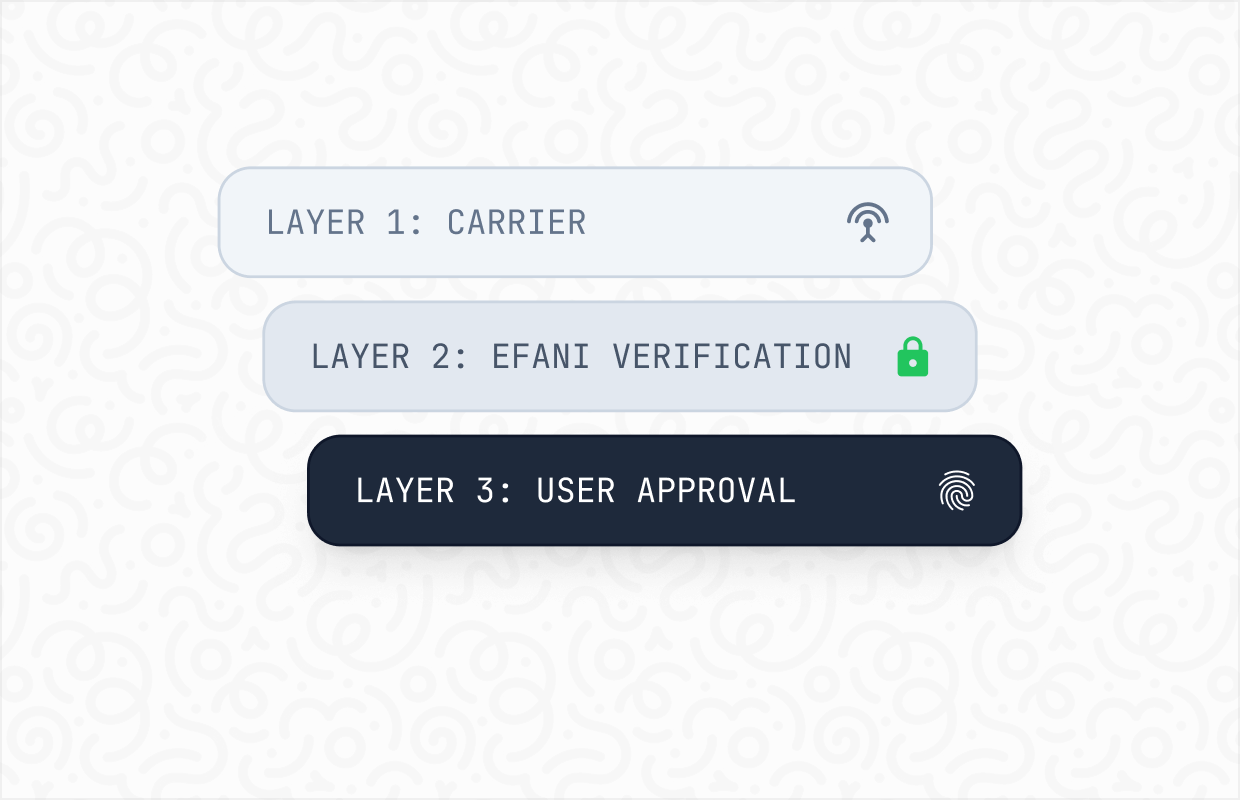
Your phone number is no longer just a contact detail. It is a recovery key for email, banking, payroll tools, crypto exchanges, and anything that still treats SMS as identity. If an attacker takes the number, they can often take everything connected to it.
The Problem With SIM Swaps
A SIM swap is a mobile line takeover sometimes called SIM swapping where a criminal convinces a carrier to move your number to a SIM or eSIM they control. The attacker does not need your phone. They need a support channel and enough personal data to sound credible.
If you want the plain-English definition and examples, see What Is a SIM Swap? and how the SIM swap scam typically unfolds.
The FBI reports that Americans lost billions of dollars to investment and crypto-related scams, many of which rely on account takeovers enabled by stolen phone numbers and SMS-based authentication.
Source: FBI IC3.
How A SIM Swap Attack Actually Happens
Most victims picture a hacker breaking in. In reality, SIM swap fraud relies on social engineering, the attacker talks their way in by combining leaked personal data with a believable story and a rushed support channel.

- Keeps your identity and logins intact
- Avoids re-registering on dozens of platforms
- Secures your known number from future attacks
- Instant activation, no waiting for shipping
- No risk of physical SIM card theft or misplacement
- Compatible with most modern devices
.png)
Why Traditional Carriers Fail Here
Carriers are built for speed and volume. Attackers exploit that through SIM swapping techniques, especially when the "proof" of identity is the same personal data already floating around online. That is why a number porting scam can succeed even when you have a PIN on file.
Typical Failure Points
Support agents are pushed to close tickets fast.
Verification relies on knowledge-based questions attackers can answer.
Account notes and flags are not consistently enforced across phone, chat, and retail.
Escalation paths are unclear, so urgency becomes a shortcut.
There is no reliable way to confirm the human behind the request under pressure.
What Real Protection Looks Like
Real protection is outcomes-first: prevent unauthorized transfers, control how support can act, and harden recovery so the number cannot be used to steal everything else.
At a high level, SIM Swap Protection adds deliberate friction where it matters and removes the attacker’s ability to shortcut your identity.
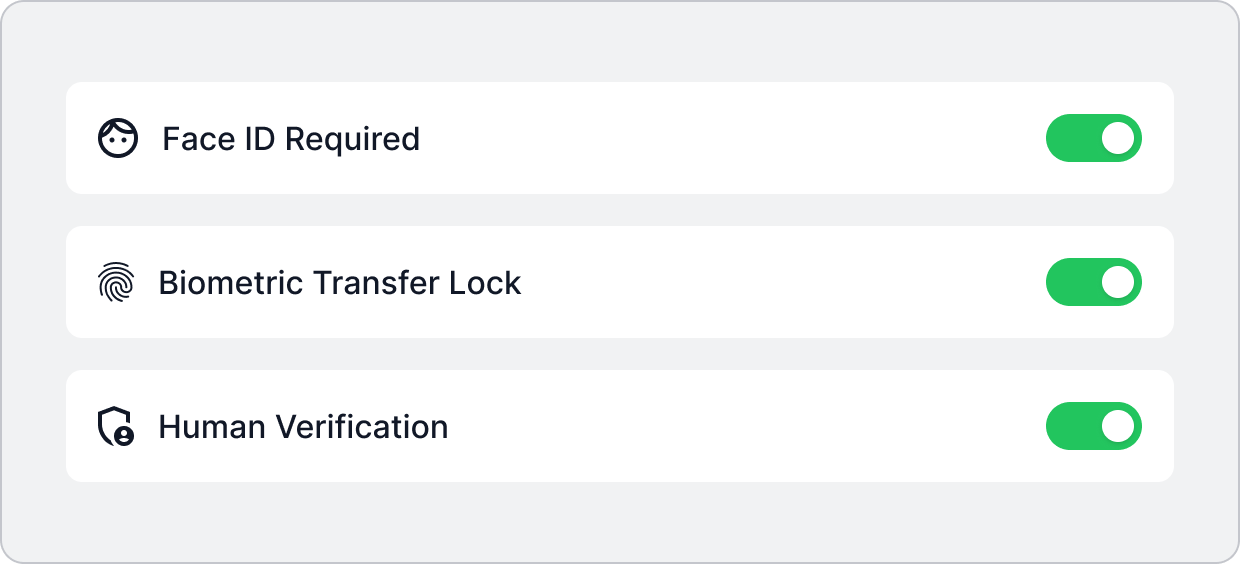
Protection Layers That Matter
- Strong verification for any SIM, eSIM, or transfer request.
- Restricted escalation so high-risk changes are not one rep away.
- Out-of-band validation so a stolen number cannot approve its own transfer.
- Clear recovery workflow when your line shows signs of compromise.
.png)
Prevent The Number Transfer
If the attacker cannot move the number, they cannot intercept your login codes.
Controls That Stop Transfers
- Transfer locks or freezes implemented as policy, not as a note.
- High-assurance verification before SIM or eSIM activation.
- Optional change windows for planned device upgrades.
- Delays or holds when risk signals suggest fraud.
Stop Impersonation At Support
The attacker’s main weapon is believability. Your defense is a workflow where believability is irrelevant.
Controls That Reduce Carrier Impersonation
- Tight access rules for actions that change number ownership.
- Escalation to trained specialists for high-risk requests.
- Consistent enforcement across phone, chat, and retail.
- Identity checks designed for targeted attacks, not casual support calls.
.png)
.png)
Add Human Verified Controls
Most “security add-ons” fail because they treat this like a settings problem. It is a process problem.
What Human Verification Enables
- Approval paths that cannot be bypassed by social engineering alone.
- Better auditing of what was requested, how it was approved, and by whom.
- A recovery playbook that assumes the attacker will try again
This is where protection becomes real, including resilience against SIM hijacking. Learn the differences between SIM swap vs SIM hacking vs account takeover.
Pricing
Monthly
Yearly
*40GB Priority Data - Speed may slow down after 40GB.
Premium plans with upto 200GB high speed data also available.
Add-ons


Core Features
Each feature below includes what Efani does, what it stops, and who benefits most.
Controlled Line Change Approval
A hardened process for any SIM, eSIM, or number transfer request.
Stops
- Unauthorized SIM activations
- Surprise number transfers
- Recovery loop abuse
Best For
- Anyone using SMS for account recovery
- Teams with high-value admin accounts
Restricted Support Escalation
Not every agent, channel, or retail visit should be able to perform high-impact actions.
Stops
- Social engineering against frontline support
- Rushed overrides created by manufactured urgency
- Unauthorized account edits
Best For
- Executives and founders
- Public-facing profiles
Out-Of-Band Identity Verification
Verification that does not depend on the phone number that might be compromised.
Stops
- Approval via intercepted SMS
- Attacker-controlled device confirmation
- Fast takeovers during lockout events
Best For
- People who have already been targeted
- Anyone with valuable email and banking access
Transfer Locking And Change Windows
Lock high-risk changes by default and allow them only under controlled conditions.
Stops
- Late-night number moves
- Opportunistic attacks during travel
- Repeat attempts after a failed social engineering call
Best For
- Frequent travelers
- Users with predictable change needs
High-Risk Event Alerts
Signals that something is wrong, delivered through channels attackers cannot easily suppress.
Stops
- Social engineering against frontline support
- Rushed overrides created by manufactured urgency
- Unauthorized account edits
Best For
- Executives and founders
- Public-facing profiles
Rapid Response Recovery Playbook
A clear plan for what to do the moment service drops or a transfer is suspected.
Stops
- Panic-driven mistakes that worsen a takeover
- Delays that let attackers reset everything
- Confusion across banks, email, and carrier contacts
Best For
- Small teams without internal security staff
- High-profile individuals
Safer Authentication Upgrade Guidance
Practical help reducing reliance on SMS where it creates the most risk.
Stops
- SMS-based resets for critical accounts
- Account takeover via weak recovery settings
- Repeated OTP interception attempts
Best For
- Anyone modernizing login security
- Organizations standardizing security hygiene

See plan details on Efani Pricing and the onboarding flow on How It Works.
What Our Clients Say About Us
See how Efani users sleep better at night with our secured mobile service.
Devastating to hear this. I switched to @efani secure phone service a few weeks back. You'll never have to worry about sim swap again. Highly recommend.

Yep, switch to @efani ! Excellent service, @haseeb will personally make sure your number is safe and secure
.webp)
Quality of life literally mooning since switching my phone sim to @efani because they somehow find turbo fast internet connectivity globally no matter where you travel first time i’ve been able to trade and sports bet live in the bahamas without feeling like I am on a dial up modem

Who Needs Efani
This is for people whose number is a dependency, not a convenience. If losing your number for even one hour would create real damage, you are in scope.
Common High-Risk Profiles
Founders and Operators
Founders and operators who control company email and SaaS admins
Finance and Payroll Teams
Finance teams handling payroll, approvals, and banking access
Creators and Public Figures
Creators and public figures with monetized accounts
Travelling Executives
Executives who travel and get targeted with urgency pretexts
Journalists and Activists
Journalists, activists, and anyone facing targeted harassment
Long-Held Numbers
Anyone with a long-held number tied to years of recovery flows
If Any Of These Are True, You’re A Target
Inbox Vulnerables
Your email can be reset with a text message.
Vault Leaks
Your bank still allows SMS recovery.
Admin Exposures
You rely on SMS for admin logins anywhere.
Use Cases
Short, realistic patterns we see when attackers go after the phone layer first.
Founder Targeted During Fundraising
- Attempt: a “lost phone” story to support, followed by email resets.
- Protection: transfer locking plus specialist escalation blocks the number move.
- Result: the attacker never receives the recovery codes.
Payroll Admin Nearly Locked Out
- Attempt: number moved, then password resets to payroll and bank portals.
- Protection: out-of-band verification prevents the line from authorizing its own transfer.
- Result: payroll stays accessible and approvals stay intact recovery codes.
Creator Facing Harassment And Account Resets
- Attempt: social takeover via SMS recovery, then scams sent to followers.
- Protection: high-risk alerts surface the attempt fast, enabling immediate response.
- Result: accounts stay under control and trust is preserved.
Traveler Hit With Sudden “No Service”
- Attempt: fast SIM change timed during transit, then resets across multiple apps.
- Protection: a rapid response playbook reduces containment time and limits damage.
- Result: recovery stays possible before the reset cascade completes.
SIM Swap Prevention Checklist
These steps reduce exposure and make attacks more expensive, even if you do nothing else.
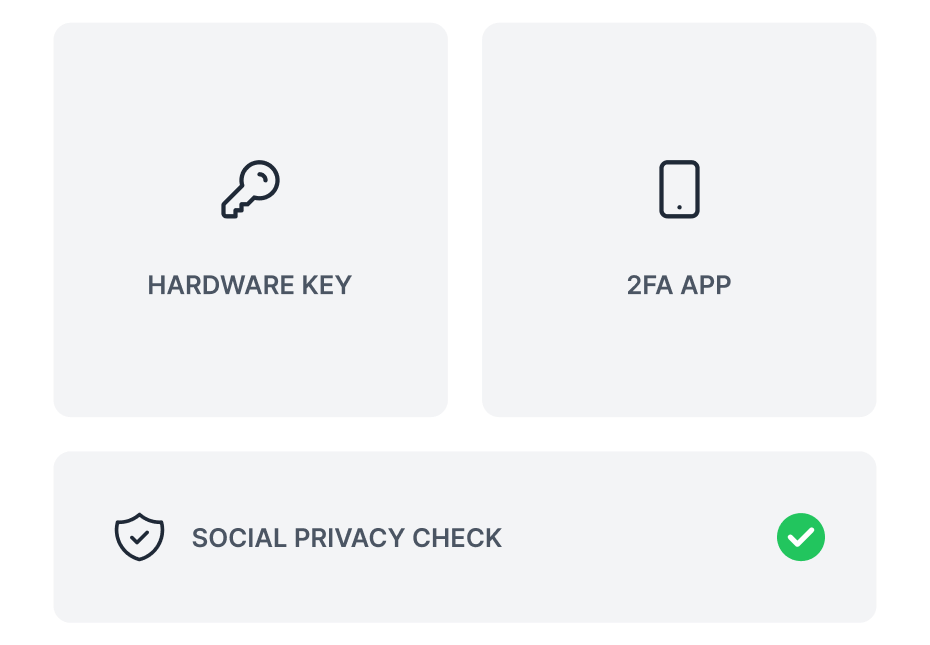
If you are in the middle of an incident, start with Contact Us and keep FAQs open for quick answers.
Put The Risk In Context
Phone-number based takeovers are measurable, not hypothetical.
Over $60 billion in total U.S. cybercrime losses have been reported to the FBI’s Internet Crime Complaint Center from 2020 through 2024.
Source: FBI IC3 Annual Report
Reported U.S. SIM swap fraud complaints rose from 320 cases in 2018–2020 to over 2,100 cases in 2022, a more than fivefold increase in documented phone-based takeovers.
Source: FBI IC3
The FCC warns that port-out scams can let criminals intercept calls and texts, including verification codes used to access accounts.
Source: FCC
Frequently asked questions
Is eSIM safer?
The chip is not the weakness. eSIM removes the physical step from provisioning, so a fraudulent transfer that once needed a SIM card in hand can now be completed remotely. The risk sits in the carrier verification process, not the hardware. Read more about SIM swap trends in 2026, including eSIM security.
Can carriers fully stop this?
Carriers can reduce risk, but most are optimized for speed at scale. Strong protection usually requires stricter verification and tighter escalation for high-risk actions.
Is SMS 2FA safe?
It is better than nothing, but weaker than passkeys, authenticator apps, or hardware keys because the number can be redirected.
What if my number is already compromised?
Treat it like an incident. Regain control of the line through the carrier’s fraud team, secure email first, then banks, then everything else.
Will a carrier PIN solve SIM swap fraud?
A PIN helps, but it is not a guarantee. Attackers may bypass it through social engineering or inconsistent enforcement across channels.
How fast does the damage happen?
Often within minutes. Once the attacker receives your texts, they can trigger resets across multiple services quickly.
What should I do if I suddenly lose service?
Assume it could be a takeover until proven otherwise. Borrow another phone, contact your carrier, and lock down email immediately.
Does this help if my personal data is already leaked?
Yes. Most people’s data is already exposed somewhere. The goal is to stop “knowledge of you” from being enough to seize your number.
What is a SIM swap attack?
A SIM swap attack also known as SIM swapping is when a criminal convinces your mobile carrier to transfer your phone number to a SIM card or eSIM they control. Once they have your number, they intercept calls and texts, including two-factor authentication codes, giving them access to your email, bank accounts, crypto wallets, and social media profiles.
How do I know if I have been SIM swapped?
The most common sign is a sudden loss of cell service with no explanation. Your phone shows 'No Service' or 'SOS Only' even in areas with normal coverage. Other signs include unexpected password reset emails, login alerts from unfamiliar locations, being locked out of accounts you did not change, or notifications from your carrier about a SIM change you did not request. See the full signs you've been SIM swapped checklist.
How much does SIM swap protection cost?
Efani SIM swap protection starts at $99 per month or $999 per year. The plan includes multi-layer transfer verification, real-time monitoring, and up to $5 million in identity theft coverage.
Can I keep my current phone number with Efani?
Yes. Efani ports your existing number to its protected network. The porting process typically takes about 10 minutes. You keep the same number, and your contacts do not need to update anything.
What is the difference between SIM swap protection and a carrier PIN?
A carrier PIN is a single secret verified by a support rep who may be socially engineered. SIM swap protection uses multiple independent verification layers, including out-of-band confirmation, restricted support escalation, and real-time transfer monitoring.
Who is most at risk for SIM swap attacks?
Anyone whose phone number is tied to financial accounts, administrative access, or public visibility. This includes founders and executives, crypto investors, finance and payroll teams, public figures and content creators, journalists and activists, and anyone with a long-held phone number linked to multiple services.
Does Verizon Number Lock prevent SIM swaps?
Verizon Number Lock reduces risk by preventing number transfers while active. However, it only covers port-out requests, does not protect against all SIM swap methods, and can be disabled through social engineering. It is a useful first step, not a complete solution.
What is Efani's $5 million coverage?
Efani includes up to $5 million in identity theft insurance coverage. This covers financial losses from identity theft tied to a phone number compromise, including legal fees, lost wages, and fraudulent charges.
How does Efani's SIM swap protection work?
Efani uses an 11-layer verification process to block unauthorized number transfers. This includes out-of-band verification, restricted support escalation, real-time monitoring, and human-verified controls.
Can SIM swap attacks happen with eSIM?
Yes. eSIM does not prevent SIM swap attacks. In some cases, eSIM makes the attack easier because provisioning can happen entirely remotely. The vulnerability is in the carrier's verification process, not the SIM hardware.
How do I protect my crypto accounts from SIM swap attacks?
Remove SMS-based 2FA from all crypto exchanges. Switch to hardware security keys or authenticator apps. Protect the phone number itself with a SIM swap protection service, since attackers can still use your number for account recovery. Use a unique email for crypto accounts.
Is SIM swap protection worth it?
If your phone number is tied to accounts that control money, access, or reputation, yes. The FBI reported SIM swap losses exceeding $68 million in a single year. At $99/month, protection costs less than 1% of the average reported loss.
Get Protected
If your number is tied to money movement, admin access, or public reputation, you should not wait for a failed login to act. SIM Swap Protection is most effective before the first attempt, when controls can be set calmly instead of under pressure.
What Happens After You Reach Out
- A short intake on how your number is used (email recovery, banking, payroll, socials).
- A review of your current carrier setup and the most likely bypass paths.
- A recommended rollout plan for your line or lines.

If you want to know why this exists, read the story on Company.