What Is Endpoint Protection? A Practical Guide to Securing Devices in 2026


Introduction
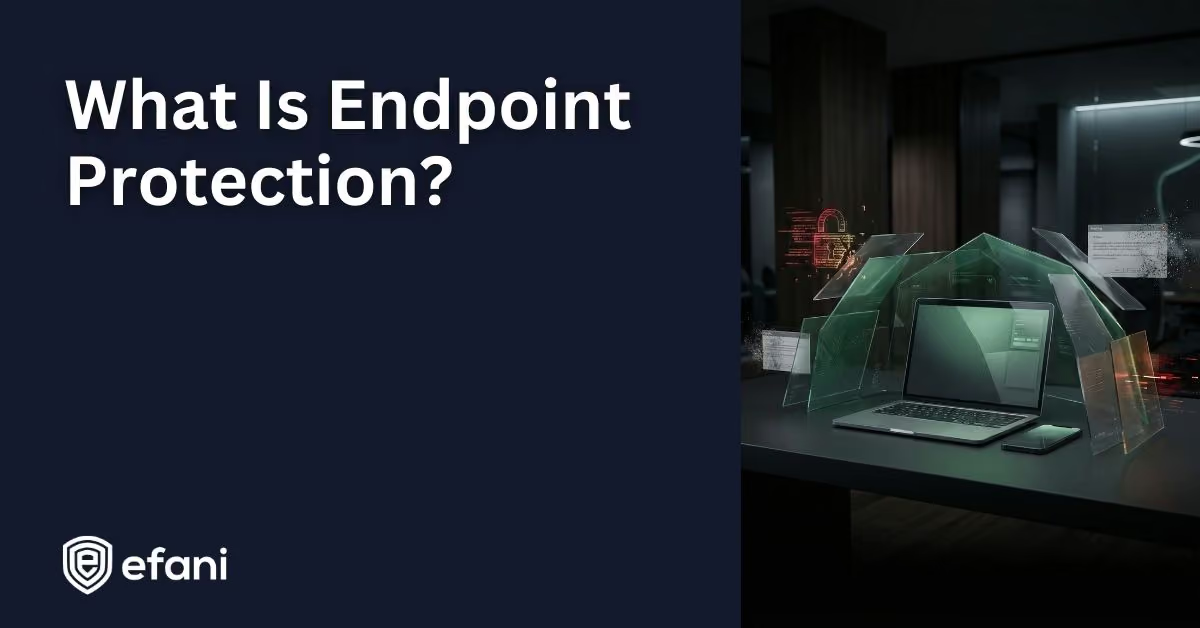
Your laptop, your phone, your tablet, the workstation at the office, and even the point of sale system at a store are all endpoints. They are the devices people use to log in, open email, download files, and get real work done. Because endpoints sit so close to users and data, they are one of the most common ways attackers get a foothold.
Endpoint protection is the mix of tools and security practices that keeps those devices safe, so malware, phishing, and account takeovers are much harder to pull off.
Let's break it down in plain language.
Is your cellphone vulnerable to SIM Swap? Get a FREE scan now!
Please ensure your number is in the correct format.
Valid for US numbers only!
What Counts As An Endpoint?
An endpoint is any device that connects to your network or to your apps and services. If it can sign in and touch data, it qualifies.
Common examples include:
- Laptops and desktops running Windows, macOS, or Linux
- Smartphones and tablets on iOS or Android
- Servers and virtual machines
- Point of sale systems, kiosks, and shared terminals
- Printers, cameras, and other connected devices
Endpoints are everywhere, which is exactly why they need attention.
What Is Endpoint Protection, Really?
Endpoint protection is designed to do three core things:
- First, it tries to prevent threats before they run.
- Second, it watches for suspicious behavior that slips through.
- Third, it helps you respond fast when something goes wrong.
You may hear a few related terms used interchangeably:
- Antivirus, which focuses on scanning files and blocking known malware
- Endpoint Protection Platforms, which add broader prevention controls
- Endpoint Detection and Response, which provides deeper visibility and investigation tools
- Extended Detection and Response, which connects endpoint data with signals from email, identity, and networks
When most people talk about endpoint protection today, they usually mean a combination of prevention and detection, all managed from one place.
Why Endpoint Protection Matters
Attackers love endpoints because they are close to people. A secure cloud app does not help much if someone's laptop is infected or their phone is compromised.
Many real world attacks start with:
- Phishing emails that steal credentials
- Malicious downloads disguised as updates or documents
- Lost or stolen laptops that were not encrypted
- Ransomware that begins on one device and spreads
- Compromised phones that can reset passwords or approve login requests
Endpoints are where passwords are typed, sessions are stored, and recovery links arrive. Protecting them reduces the odds that a single mistake turns into a serious incident.
SIM Swap Protection
Get our SAFE plan for guaranteed SIM swap protection.
What Endpoint Protection Typically Includes
Modern endpoint protection is layered. You might get these features from one product or several working together.
1. Malware Prevention
This is the foundation. Today's tools use a mix of known threat signatures, reputation checks, and behavior analysis. That helps catch both familiar malware and brand new threats.
2. Ransomware Protection
Ransomware behaves differently than most malware. It touches lots of files very quickly. Endpoint tools look for that pattern and try to stop it before damage spreads.
3. Detection And Response Capabilities
Detection tools record what happens on a device, such as processes running, files changing, and network connections. That history helps answer questions like where an attack started and what it touched. Many tools also let you isolate a device from the network while you investigate.
4. Application And Device Controls
Not every app should be allowed to run. Endpoint protection often includes controls for scripts, macros, USB devices, and unknown software. Reducing what can run reduces risk.
5. Patch And Vulnerability Visibility
Unpatched systems are a common entry point. Many endpoint tools can report missing updates and highlight risky software, even if patching itself is handled elsewhere.
6. Encryption And Data Protection
If a laptop goes missing, disk encryption can keep its data safe. Centralized management makes it easier to recover keys when users forget passwords or devices change hands.
7. Identity And Access Hardening
Endpoint protection works best when paired with strong sign in practices. That includes password managers, unique passwords, and multi factor authentication that resists phishing.
Monthly
Yearly
How Endpoint Protection Works In Practice
Most endpoint solutions install a small agent on each device. That agent enforces security rules and watches for risky behavior. It reports back to a central dashboard, usually cloud based, where administrators can:
- See which devices are protected and active
- Apply or adjust security policies
- Review alerts and investigate activity
- Take action like blocking files or isolating devices
Good endpoint protection is not just software. It is also the habit of checking device health and responding when something looks wrong.
Endpoint Protection Versus Antivirus
Antivirus is part of endpoint protection, but it is not enough by itself anymore.
Traditional antivirus is good at spotting known bad files. Many modern attacks avoid that by using new malware, built in system tools, or stolen credentials. In those cases, there may be no obvious virus at all.
Endpoint protection expands beyond file scanning to include behavior analysis, controls, and response tools.
What To Look For In An Endpoint Protection Solution
When choosing a solution, focus on features that reduce real risk and fit your team.
Useful capabilities include:
- Strong prevention with behavior based detection
- Built in ransomware protections
- Centralized management that is easy to use
- Fast device isolation during incidents
- Clear alerts that avoid constant noise
- Web and phishing protection
- Visibility into device health and compliance
- Support for remote and off network devices
For smaller teams, ease of use matters as much as depth. A tool that stays configured and monitored is far better than a powerful one nobody checks.
Endpoint Protection For Remote Work And Mobile Devices
Remote work makes endpoint security more important. Devices move between home networks, cafes, hotels, and hotspots. Security needs to follow the device, not the office.
Phones deserve extra care. They are often both endpoints and authentication tools. A compromised phone can access email, reset passwords, and approve logins.
Basic mobile protection includes keeping the operating system updated, using strong screen locks, enabling encryption, and avoiding untrusted apps or profiles.
For organizations, mobile device management tools can enforce these basics and separate work data from personal use.
A Practical Endpoint Protection Baseline
You do not need a perfect setup to improve security. A solid starting point looks like this:
- Keep an inventory of all devices
- Enable automatic updates for systems and browsers
- Use reputable endpoint protection with real time monitoring
- Turn on full disk encryption
- Use a password manager and multi factor authentication
- Limit admin access where possible
- Back up important data with version history
- Teach people how to recognize phishing attempts
These steps dramatically reduce common attack paths.
Rolling It Out Without Friction
Endpoint protection fails when policies are too aggressive too fast. A smoother approach is to:
- Start with a small pilot group
- Use recommended defaults first
- Watch for performance issues and false alerts
- Adjust policies before wider rollout
- Document simple response steps for alerts
- Review device status regularly
The Big Picture
Endpoint protection is about defending the devices that connect to everything else. It reduces the risk that one bad click, one lost laptop, or one compromised phone turns into a major security incident. A strong endpoint foundation makes every other security layer easier and more effective.