A Brief Guide to Web Security


Introduction
The internet is not a safe place by default. Despite encryption, firewalls, and other defenses, attackers still regularly find ways to compromise websites and the businesses behind them. Web security is not a one-time checkbox; it needs to be designed into a site from the start and maintained continuously.
Small businesses are a particularly common target, largely because they tend to have fewer dedicated security resources than large enterprises, and many have not fully prepared to defend against an attack attempt. If you think web security isn't a real concern for your organization, the data consistently says otherwise. Exact figures vary by survey and year, but independent industry research has repeatedly found that a very large share of small businesses experience some form of cyberattack attempt each year.
Is your cellphone vulnerable to SIM Swap? Get a FREE scan now!
Please ensure your number is in the correct format.
Valid for US numbers only!
What Is Web Security?
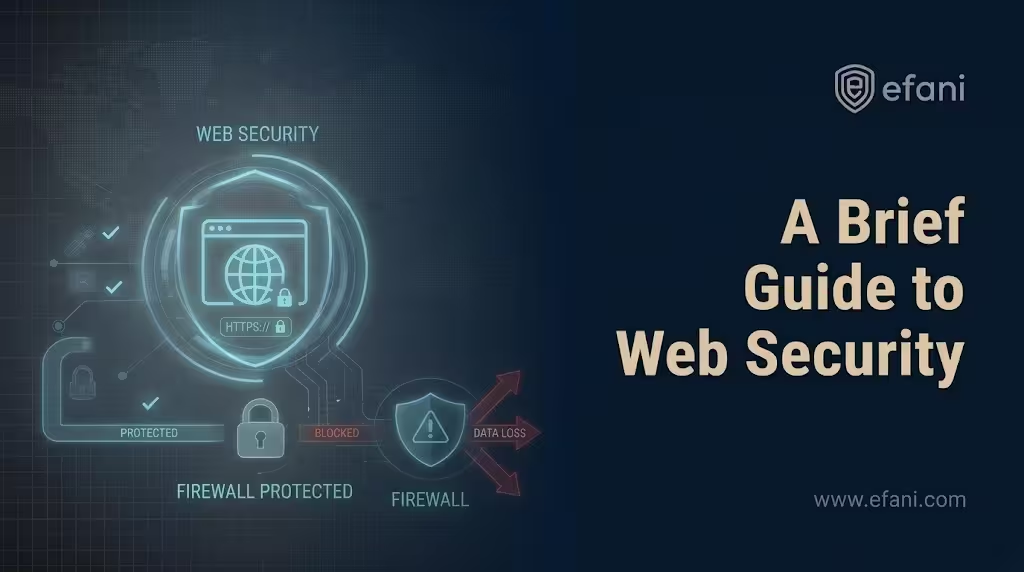
Web security is the practice of protecting websites and web applications from unauthorized access, modification, or destruction. The core fear driving the need for it is simple: credit card numbers, personal photos, login credentials, all of it ending up in the wrong hands. A site that is online is, by definition, exposed to some level of ongoing threat, and no single tool makes that threat disappear permanently. Security needs to be built into a site's design and then consistently updated and monitored, not applied once and forgotten.
One of the most effective, baseline steps is enabling HTTPS, which keeps data secure in transit, helps protect against certain phishing and interception scams, and signals to visitors that the site can be trusted with their information.
Why Web Security Matters for Your Business
Most websites exist, in part, to generate traffic and earn user trust: people visiting, exploring, and eventually sharing sensitive information like payment details. That trust is fragile. A visitor who sees a security warning, or who becomes a victim of an attack on a site, is unlikely to return. Established, trusted brands invest heavily and continuously in web security precisely because that trust, once broken, is expensive to rebuild.
Common Web Security Threats
- Viruses. Self-replicating malware that spreads through websites, email, and downloads. Some viruses do visible damage; others sit quietly, which makes them harder to detect.
- Malware. A broad category of malicious software that exploits vulnerable scripts or unpatched entry points. Malware can take a site offline, spam visitors, or quietly harvest data through tools like spyware.
- Spam. Beyond the junk filling your inbox, spam in comments and live chat can still slip past filters, and persistent spam can damage a site's credibility, and in some cases its search rankings.
- Blacklisting. If Google detects malicious activity (malicious backlinks, phishing links, malware), it can blacklist a site entirely, a serious and often slow-to-reverse setback for a business's visibility and traffic.
Security Attacks That Put Websites at Risk
- DDoS attacks – overwhelming a server with spoofed traffic until it crashes, locking out legitimate visitors.
- Cross-Site Scripting (XSS) – injecting malicious code that executes in other users' browsers, often letting an attacker act as that user, including making purchases or changing account details.
- SQL Injection – inserting malicious SQL code to read, modify, or delete data in a website's database, in severe cases corrupting the entire database or granting attacker-controlled admin access.
- Cross-Site Request Forgery (CSRF) – tricking an authenticated user's browser into executing an unwanted action on a site they are logged into.
- Clickjacking – disguising a malicious link as a legitimate one, tricking users into actions (and credential entry) they never intended.
- Domain registration exposure – personal and technical information tied to a domain's WHOIS record can give attackers a starting point for targeting a site's infrastructure.
- File inclusion – exploiting improperly validated file-handling logic, often as a precursor to an XSS attack.
Best Practices for Web Security
- Use HTTPS everywhere, not just on login or checkout pages. It protects data in transit and supports search engine trust signals.
- Use an SSL/TLS certificate, which is effectively mandatory for any e-commerce or data-collecting site, encrypting the connection between visitor and server.
- Choose hosting carefully. Cloud hosting generally offers stronger isolation and control than shared hosting, where your security can be affected by other tenants on the same server.
- Stay current with software updates, including your CMS, plugins, and extensions. Attackers actively scan the internet for sites running outdated, known-vulnerable software.
- Secure the devices your team uses to manage the site, not just the site itself. A compromised admin laptop can undermine every other control you have in place.
- Control file uploads tightly. If your site allows user uploads (reviews, images), use vetted, secure handling rather than accepting files directly into your server's file system.
- Consider a microservices architecture for larger applications, so a security issue in one service doesn't automatically expose every other part of the system.
- Change passwords regularly and use a password manager. Password reuse across platforms remains one of the simplest ways an attacker, once they compromise one account, gains access to several more.
- Enable multi-factor authentication wherever it's available, on your CMS, hosting panel, and any third-party tools connected to your site.
- Apply least-privilege access, giving each user or system only the access they actually need, so a single compromised account has limited reach.
- Back up your data regularly, so a breach or technical failure doesn't mean permanent data loss.
SIM Swap Protection
Get our SAFE plan for guaranteed SIM swap protection.
Tools and Techniques Worth Knowing
Security plugins can handle a meaningful share of baseline protection: monitoring, blocking common attack patterns, and alerting you to suspicious activity. On WordPress specifically, Jetpack (built and actively maintained by Automattic, WordPress's own parent company) is a widely used example that bundles security monitoring alongside its other features worth knowing by name rather than only as a generic "security plugin" category, though it's one option among several and not an endorsement of any single vendor. Beyond plugins, securing your DevOps pipeline, so security checks run throughout development rather than being bolted on at the end, has become a standard practice for reducing the number of vulnerabilities that make it to a live site in the first place. Adaptive authentication, which looks at behavioral patterns and asks for extra verification only when something looks unusual, is a newer refinement on top of standard multi-factor authentication worth evaluating for higher-risk accounts.
Zero Trust Security: Worth the Shift?
Zero Trust Security assumes no user or device is automatically trustworthy, inside the network or outside it, and requires ongoing verification for any meaningful action. It is a more rigid model than traditional perimeter-based security, and it is best adopted gradually rather than all at once, letting employees and systems adjust as access controls tighten. Combined with least-privilege access and network segmentation, it closes off one of the most common paths attackers use: gaining a foothold and then being implicitly trusted to move freely.
Monthly
Yearly
The Real Limitations of Web Security
It is worth being honest about the tradeoffs:
- Cost. Comprehensive tooling and ongoing maintenance carry real expense, which can be a genuine barrier for smaller, cash-constrained businesses.
- Expertise. Not every organization has, or can afford, a dedicated security team, which increases the risk of misconfiguration or missed threats.
- It's never finished. Security requires continuous monitoring and updates; there is no final state where a site is permanently "secure."
- Friction vs. protection. The most aggressive security measures can frustrate legitimate users, so there's a real balancing act between airtight security and a usable experience.
Securing Your Website Is Only Half the Picture
Strong web security protects your site's data and infrastructure. It does nothing to protect the mobile number tied to the people who manage that site your admins, your developers, your executives. A SIM swap gives an attacker control of that phone number, letting them intercept the SMS codes and reset links that guard your hosting panel, your domain registrar, and your CMS admin account, often bypassing the very security you've invested in. It's worth closing that gap directly. Efani's SAFE plan is built specifically to prevent SIM swapping, and you can run a free SIM-swap vulnerability scan to check your own number's exposure in a few minutes.
Final Thoughts
Web security is one of the broadest and fastest-evolving areas of technology, and the challenges are real: cost, complexity, and the ongoing arms race with increasingly sophisticated attackers. But the fundamentals HTTPS, strong authentication, regular updates, least-privilege access, and continuous monitoring remain the backbone of a defensible website, and they deliver outsized protection relative to their cost.
FAQ
Q: What is the most important first step in web security?
A: Enabling HTTPS across the entire site is widely considered the baseline first step, since it protects data in transit and is a prerequisite for most other trust signals visitors and search engines look for.
Q: Are small businesses really targeted by cyberattacks as much as large companies?
A: Yes. Independent research consistently finds small businesses face a disproportionate share of attack attempts, in large part because they tend to have fewer dedicated security resources than larger organizations.
Q: What's the difference between XSS and SQL injection?
A: XSS injects malicious code that runs in a victim's browser, often to steal session data or perform actions as that user. SQL injection targets a website's database directly, aiming to read, modify, or delete stored data.
Q: Is shared hosting a security risk?
A: It can be, since you share server resources with other websites you don't control. If a neighboring site on the same shared server is compromised or poorly secured, it can create risk for your site as well. Cloud or dedicated hosting generally offers stronger isolation.
Q: Does Zero Trust Security work for small businesses?
A: It can, but it should be adopted gradually rather than all at once. Starting with least-privilege access and basic segmentation, then expanding verification requirements over time, tends to work better than a full, immediate Zero Trust rollout for smaller teams.